-
On the machine:
Gather all cards, turn machine on and wait for the Identify Operator screen.
Swipe all cards one by one, about 5 seconds between each other. The display should show Operator Unknown after each swipe.
The order of which cards were swiped first needs to be noted, preferably with the time each was swiped.
-
On the Smartrack Website:
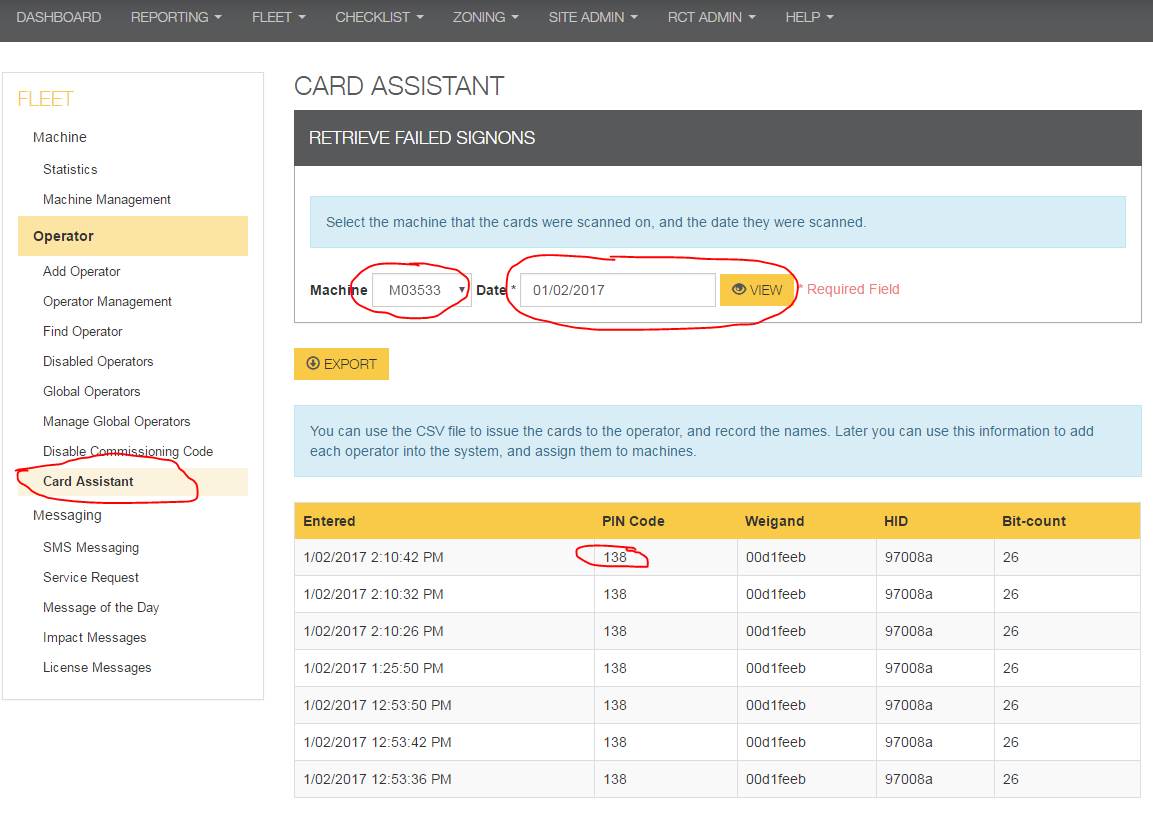
Click > Fleet > Card Assistant
Select Machine that cards were swiped on (in this case M03533)
Select date of when the card was swiped. Then click View.
Now you can check the times and order that the cards were swiped.
The Pin Code is the number to note down.
For this example 138
-
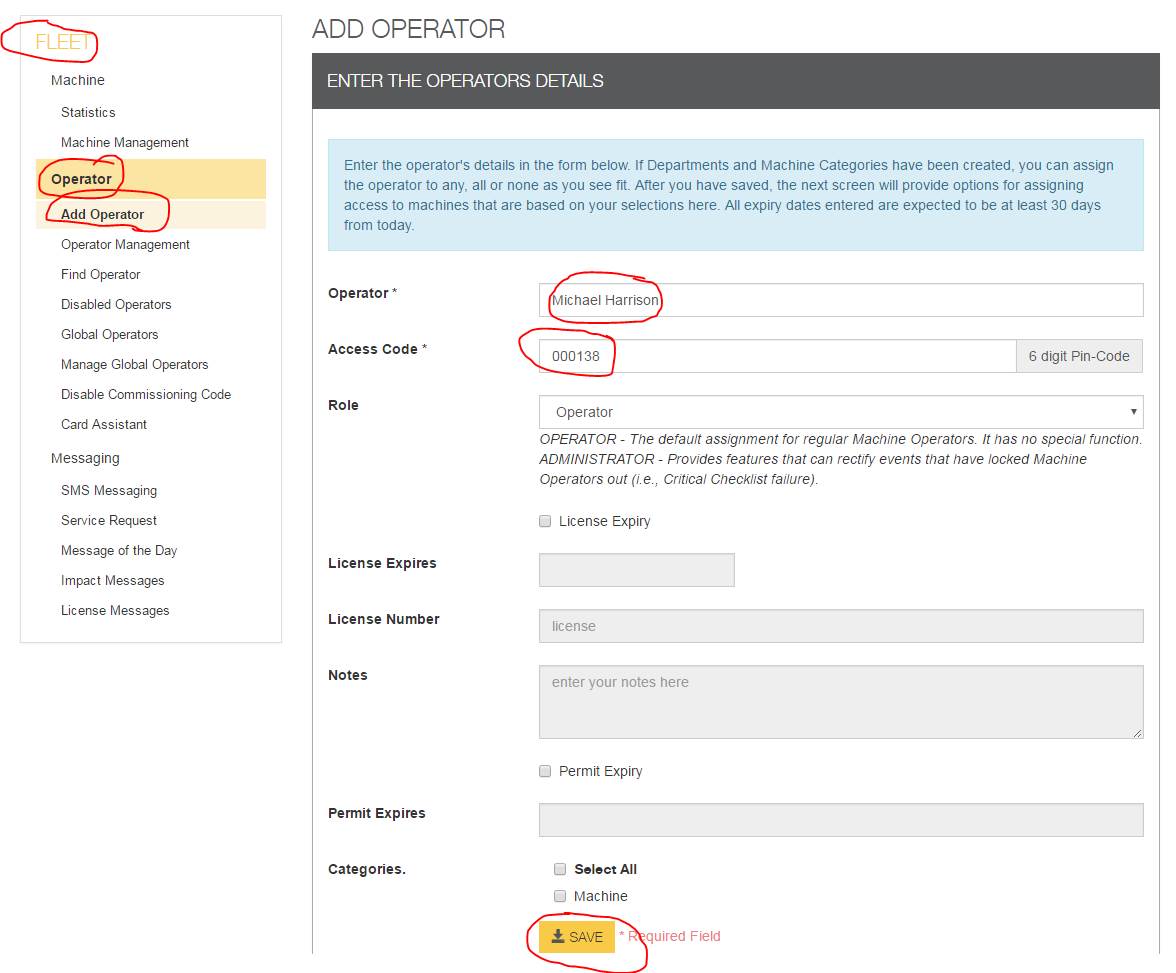
Add Operators:
Follow the Add Operator Help Guide to add operators
Enter code obtained from card assistant ( note if the code is less than 6 digits please enter zeros in front to make it a six digit number, example 12345 becomes 012345, or 6543 becomes 006543)
This example is 000138