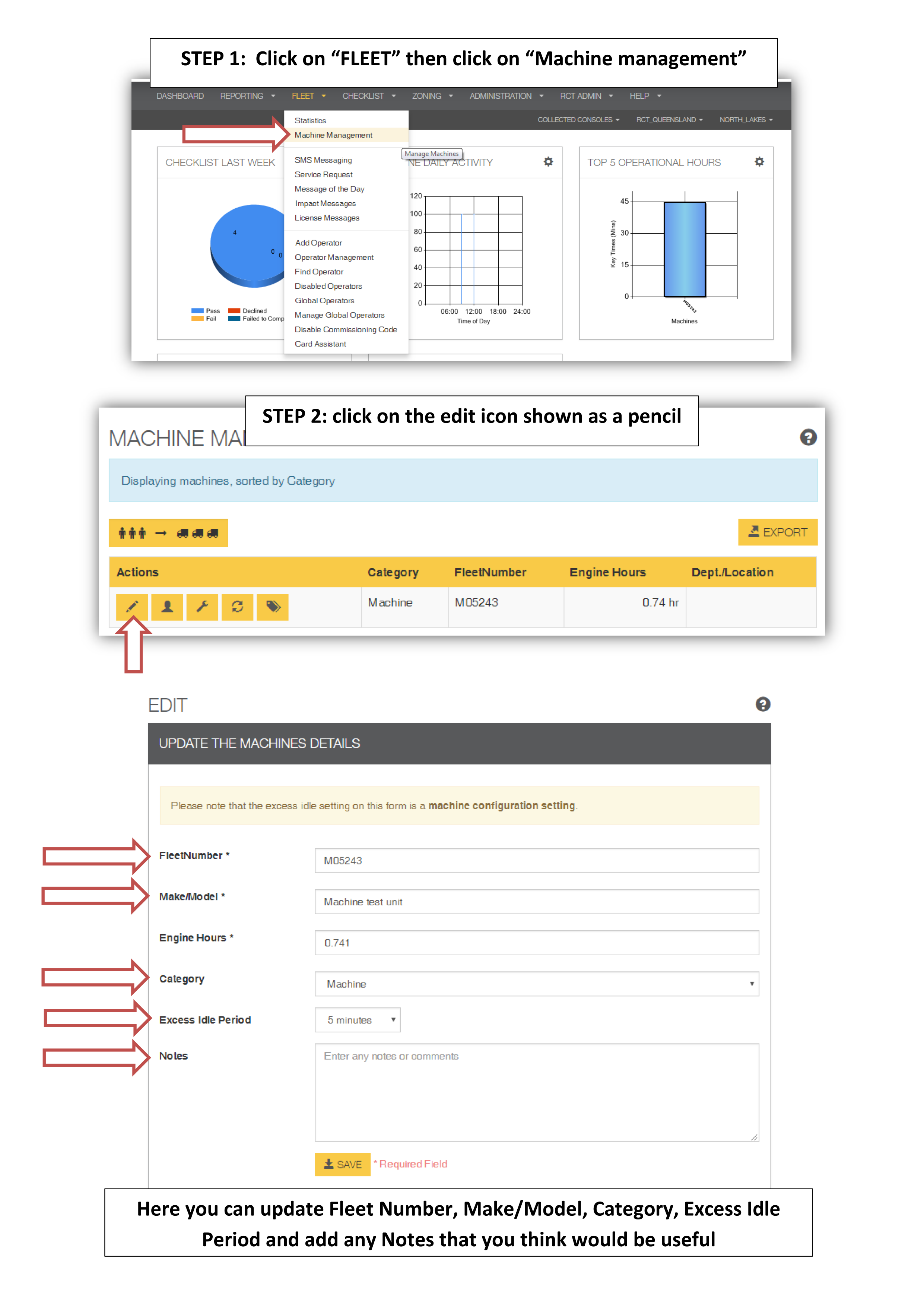
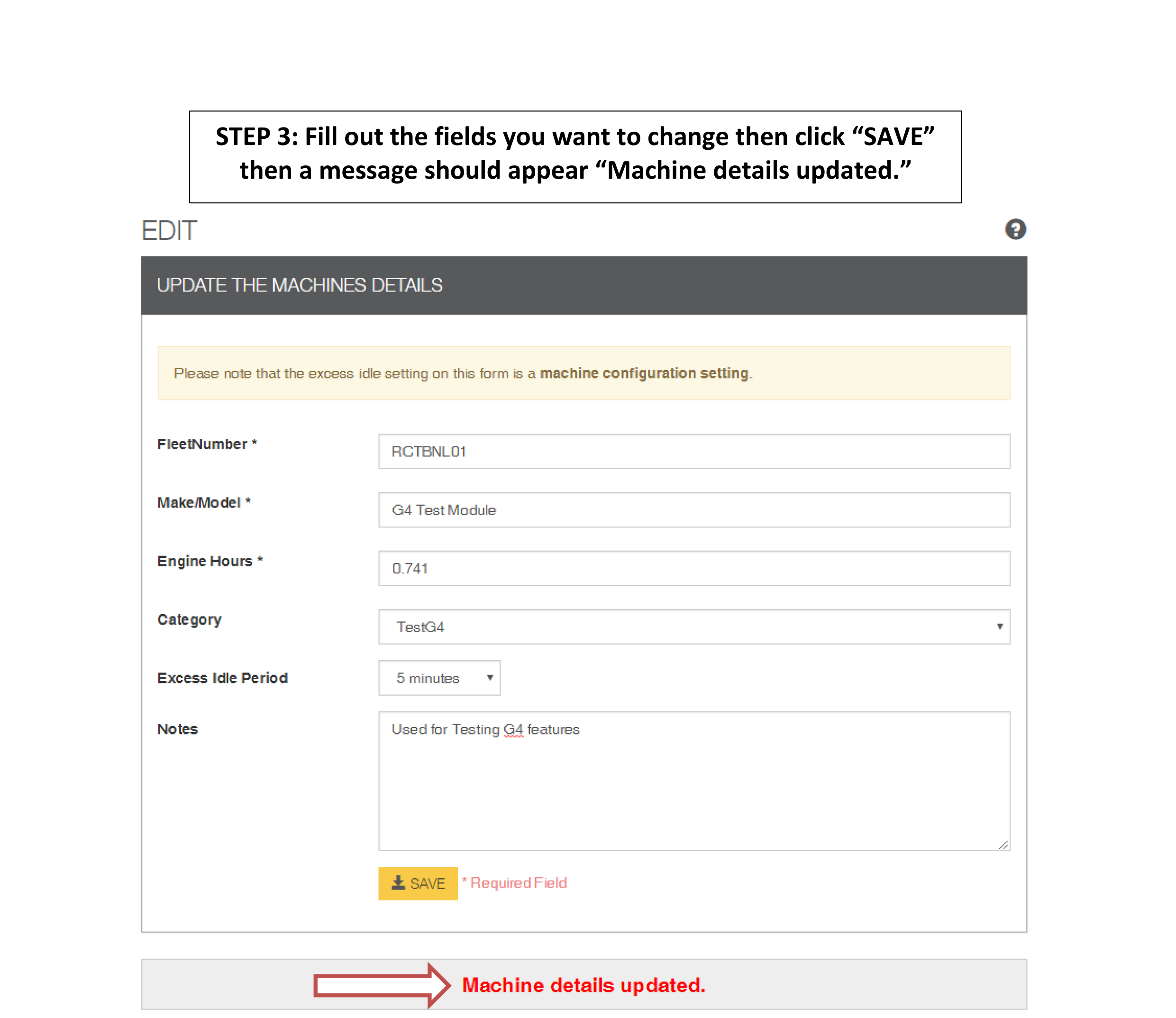
This is a quick guide on how to update the details for a machine, example the fleet number.
Assign All Operators to All Machines Onsite
1. From the menu on the ribbon bar, click FLEET and then Machine Management.
2. Click  to complete this operation.
3. Click OK.
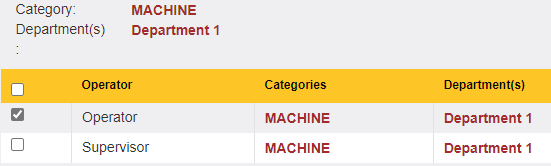
Assign Machine to Operator/s
Tick the operator/s you need the machine to be accessed by.
Example:
Assigning an operator to a machine can be completed in various ways.
 This button assign selected Operator/s to Machine.
 This button assign ALL Operators to this Machine. Will automatically tick all operators.
 This button assign all operators in category machine assigned to.
 This button assign ALL operators in departments machine assigned to.
 This button does not assign the machine to any operator/s. This button will keep settings unchanged if there's previous assignment.